The parts of a PSA
A PSA is a text file of records, one to a line, each starting with what it is. Spanner reads them in turn:
| Record | What it holds | In Spanner |
|---|---|---|
| Project | The file as a whole: its name, which code is the key field, and how many days its movement covers. | The document, with a note on the key field in its Comments. |
| Product | Each product once, with its codes, name, attributes, sizes, packs and figures. | The document's products. |
| Planogram | Each planogram's name, size and base. | A planogram. |
| Performance | Figures for each product on one planogram. | An outlet for that planogram. |
| Segment | The planogram's bays, left to right. | Bays. |
| Fixture | Shelves, chests, bars, pegboards, obstructions and signs. | Fittings and points of sale. |
| Position | A product on a fixture: where, its facings, orientation and pack. | Positions. |
| Drawing | Lines, shapes and text boxes drawn over the planogram. | Text on a sign. |
Text in a PSA can hold commas, quotes and line breaks, written in a code of their own. From Spanner 2.5.1.2 they come through as they should, both ways; before, some text came in with stray backslashes.
Products
| In the PSA | In Spanner |
|---|---|
| UPC | UPC. Usually the barcode, but for a retailer keyed on UPC it's the retailer's own code: see Retailers' Codes. |
| ID | ID. If two products share an ID, the second gets 1 added after a space, so it stays a product of its own. |
| Name | Name. |
| Category, Sub-Category, Manufacturer, Supplier, Brand | psa-Category, psa-Sub-Category, psa-Manufacturer, psa-Supplier, psa-Brand. |
| Short Name, Status | psa-Short Name and psa-Status, from Spanner 2.5.1.2. |
| Description 1 to 50 | Description 1 onwards, up to the last one the file uses. |
| Width, Height, Depth, packs | The product's sizes and packs: see Packs. |
| Colour, Size, Unit of measure, Image | The product's colour, size, unit and image name. |
| Price, Cost, Tax code, Movement | The Document outlet's figures: see Measures and tax. |
| Value 1 to 50, Weight | Not brought in. Retailers use them in such different ways and units that they'd mislead. |
The psa- names keep the retailer's attributes apart from your own Category, Brand and so on, which converting adds, empty, for your coding. From Spanner 2.5.1.2, spaces at the ends of names and attributes are trimmed: some retailers pad a supplier's name on some products but not on others, which made one supplier two rows in a report.
What the Description fields hold is up to each retailer, and changes from one retailer to the next: Retailers' Codes lists what we've found.
Measures and tax
A PSA's figures go into a set of measures of its own. Converting keeps them, and adds your defaults after them.
| Code | Measure | What it is |
|---|---|---|
| PRICE | Price | The shelf price. |
| CASECOST | Case Cost | The cost of a case. |
| UNITCOST | Unit Cost | The case cost divided by the number in the case, where the file gives one. |
| TAXRATE | Tax | The tax rate, such as 20 %. |
| MOV | Movement | Units sold in the file's movement period, usually a week. |
| SHARE | Share | The product's share, as the retailer works it out. |
| SALES | Sales | Movement × price. |
| SALESEXTAX | Sales ex Tax | Sales ÷ (1 + tax rate). |
| PROFIT | Profit | Sales ex tax − movement × unit cost. |
| MARGIN | Profit Percentage | Profit ÷ sales. |
A PSA doesn't hold a tax rate, only a tax code: 1, 2, 3 and so on. Spanner turns the code into a rate with the Tax Values in Tools › Settings › PSA Files: code 1 is the first box, code 2 the second, and so on, each a percentage, such as 20. Code 0 is no tax. If the retailer's codes mean other rates, change the boxes before you open the file.

Outlets
The product records give each product's figures once, for the file as a whole. Spanner puts them in the Document outlet.
Some files also have Performance records: figures for each product on each planogram. Then each planogram gets an outlet of its own, named after it, and reads its figures from there. Sainsbury's files are like this; most Morrisons files have no Performance records, so every planogram reads the Document outlet.
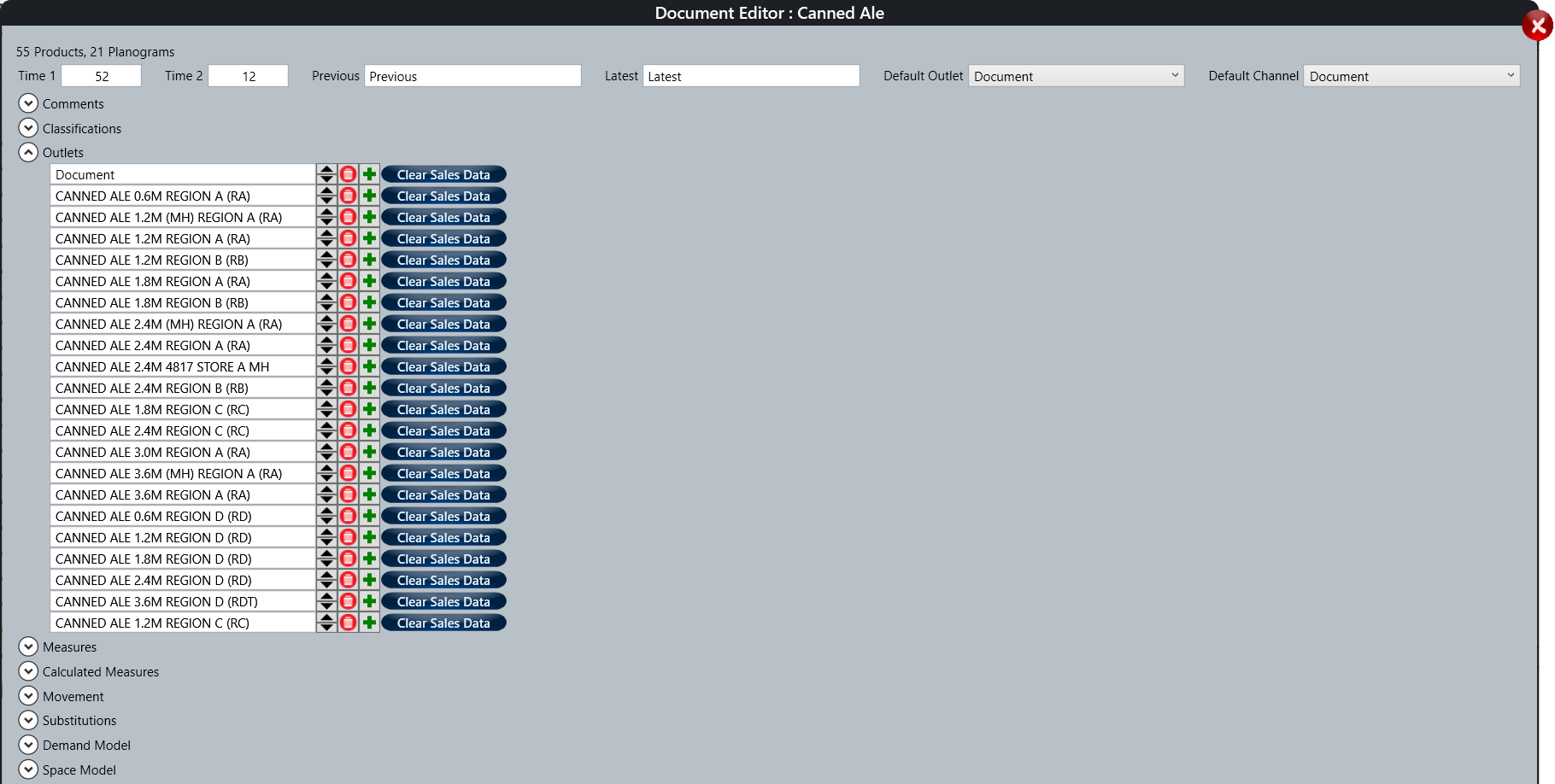
When you bring in your own sales data, the planograms keep reading their PSA outlets until you join your outlets to them.
Packs
A PSA product can come in six ways: as a unit, a tray, a case, a display, an alternate pack or loose. Spanner has four: unit, tray, case and other. So display, alternate and loose share Other:
- if the product's positions use one of them, Other is that one, with its count;
- if none is used, Other is the largest of them each way.
An exported PSA writes Other as the alternate pack, and positions using Other as alternate, so the retailer's system reads them as one pack. From Spanner 2.5.1.2 an alternate pack's count comes through both ways, and a pack's count is given per facing, not multiplied by the facings.
Fixtures, base and signs
| In the PSA | In Spanner |
|---|---|
| Shelf, chest, bar | A fitting of that type, with its flow, its colour and the height or depth products may fill. |
| Pegboard, multi-row pegboard | A Pegboard or Pegboard Multi fitting, with its peg spacing. |
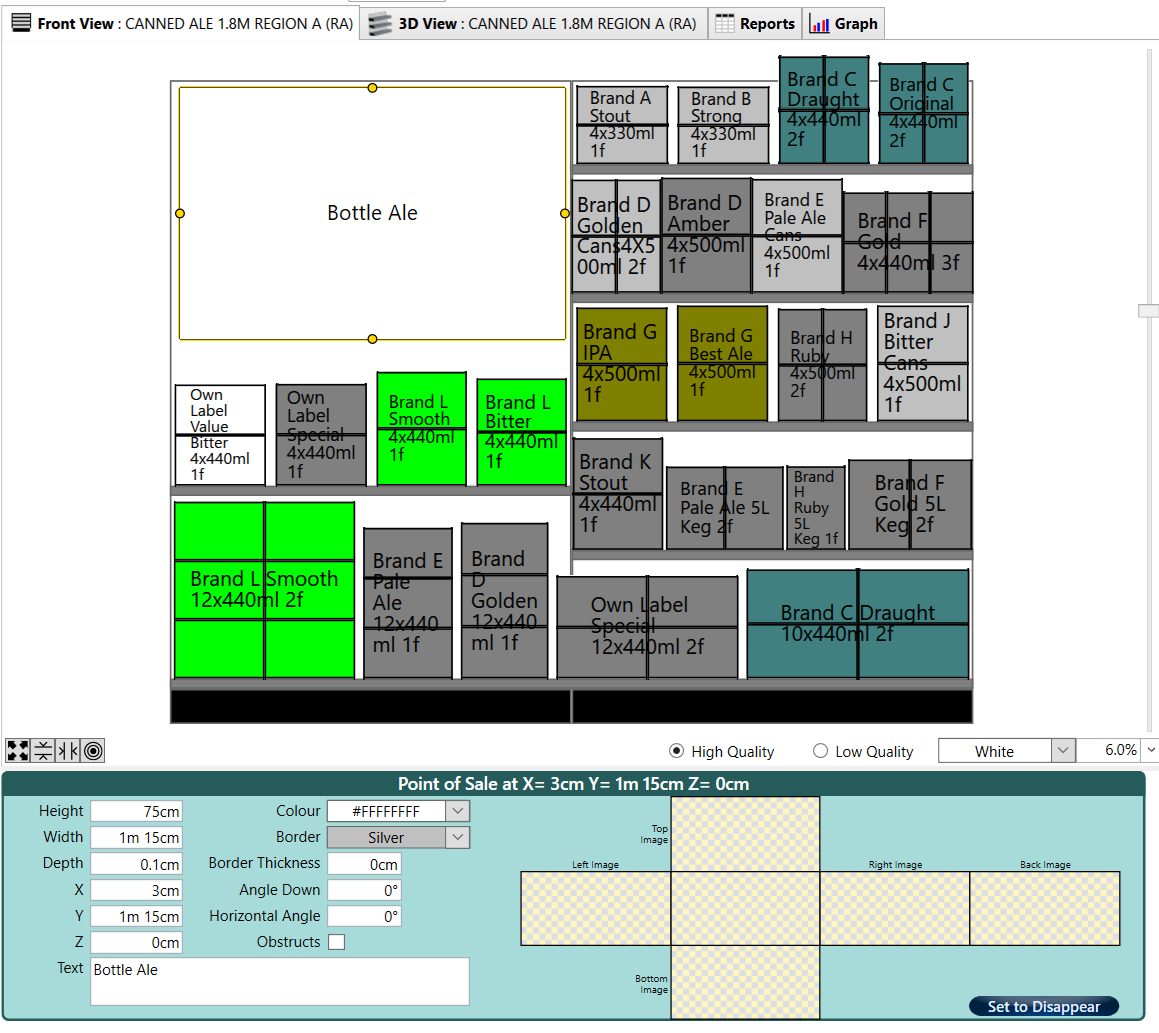
| Obstruction, sign | A point of sale, which obstructs products where the PSA says so. |
| Text box on a sign | The sign's text. |
| Bin, rod, gravity feed and other kinds | Not brought in, so check a planogram that uses them. |
Bays. Each segment becomes a bay. Where the segments are narrower than the planogram, a bay is added to fill the rest. Each planogram has its own base: from Spanner 2.5.1.2, one planogram's base no longer carries on to the next.
Signs. In a PSA, a sign's own name is usually the retailer's description of it, such as Header 1200. The words you see on the planogram are a text box drawn over the sign. From Spanner 2.5.1.2, a text box over a sign gives the sign its text, line breaks and all; before, signs came in blank.
Planograms that are only lists
Some files have a planogram that isn't a fixture at all. An online fulfilment centre's range, for example, can come as every product on one 1 m shelf, running metres beyond its end. It's how the retailer's system lists a range; Spanner shows it as it is.
Use it for its range, its codes and its figures. Don't copy its fixtures, or report its space or its overhang.
Mistakes in the retailer's data
A PSA is the retailer's data, typed in by people, and has mistakes of its own. Those we've seen:
- A size far out, such as a 4-pack given a single can's size, or width and depth swapped. Check a doubtful one against the product, and correct it before it goes into your library.
- A tray or case with no count, which Spanner shows as 1. An export to your library leaves such a pack out: see Packs without counts.
- Every size the wrong way, such as inches read as centimetres: use Scale Everything.
- Barcodes without their leading zeros or check digit: mend them with the barcode buttons.
- A product twice, under two IDs. Spanner keeps both, as the file does.
Ask Spanner AI to check a new file for them: Part 5.